A calm focus timer
Pick a length, hold to start, and let the ring fill.
25min50min90min
- Brown noise
- Rain
- Quiet chime
A focus app for iPhone
Too many priorities? Dayflint asks one question each evening: if you only got one thing done tomorrow, what would it be? Then it helps you actually do it.
Free to start · No account · Your data stays on your iPhone
Most to-do apps help you list everything.
Dayflint helps you finish one thing.
How it works
9:00 PM · The night before
One question, once a day. Choosing the night before means you wake up already knowing, with no list to wade through and no guilt about the rest.
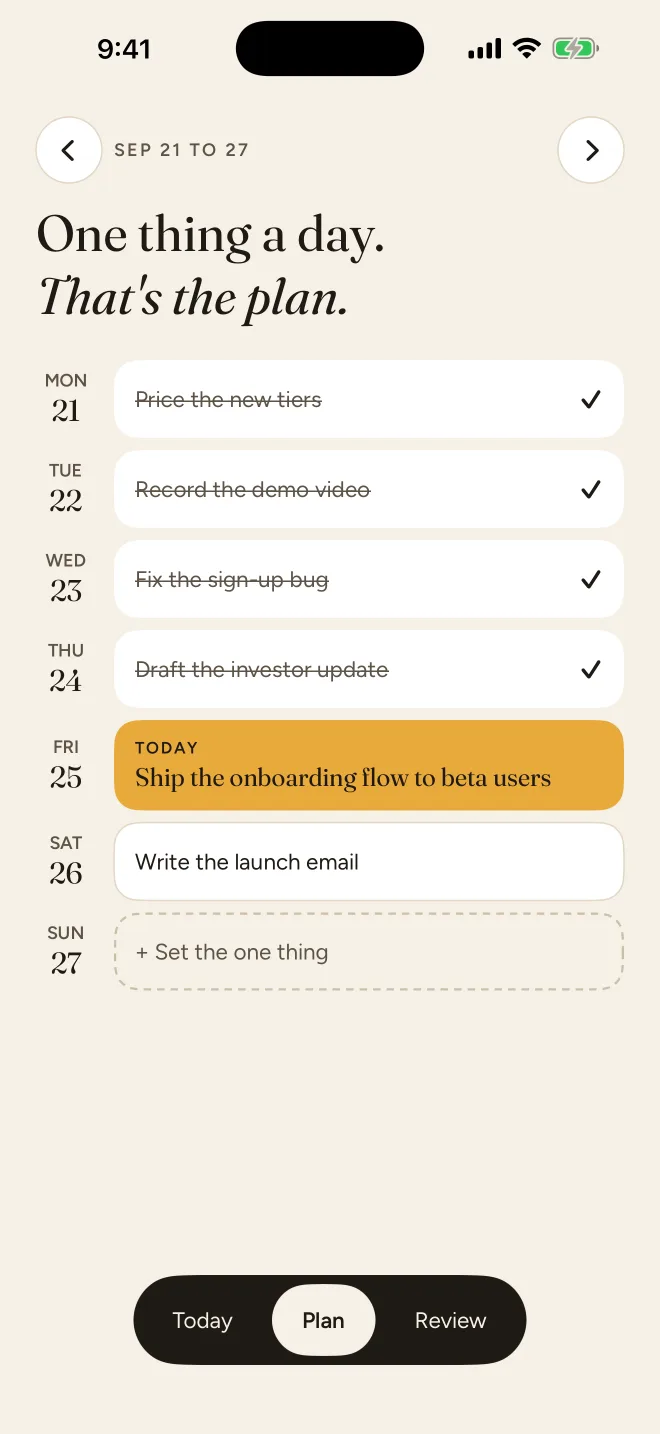
9:00 AM · Morning
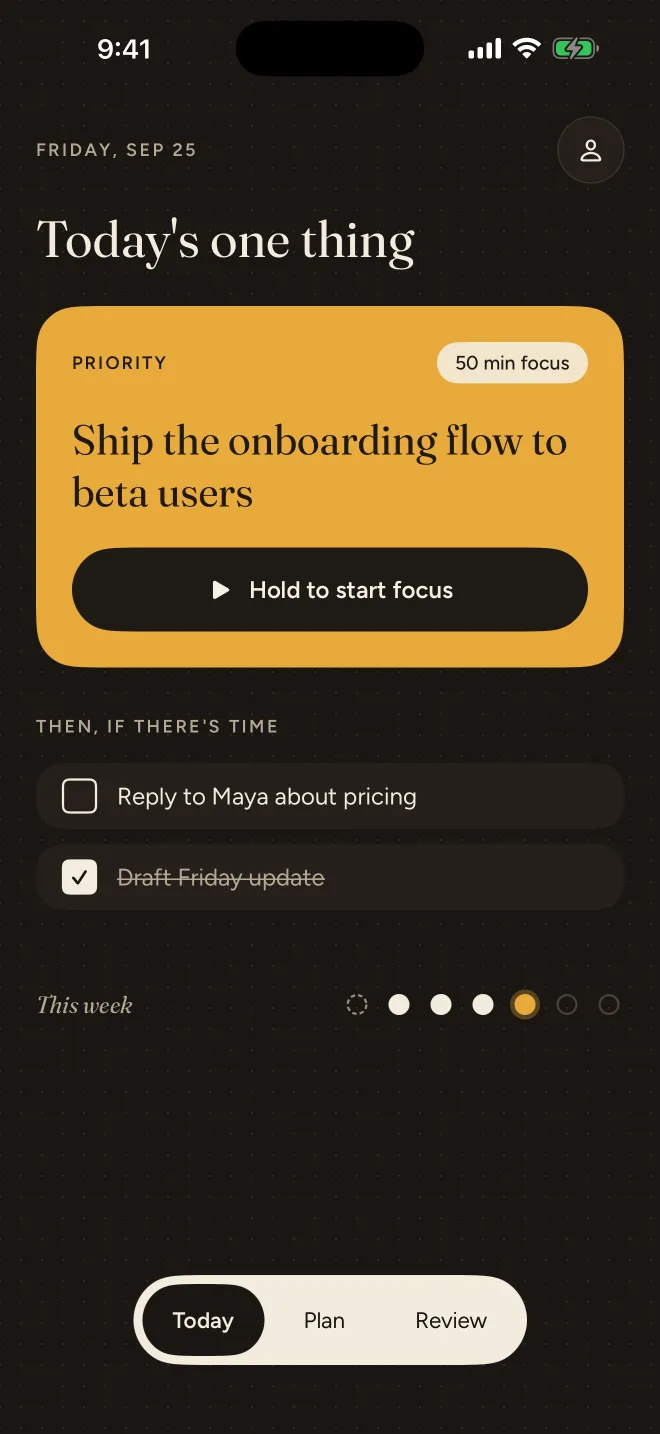
A gentle nudge reminds you what today is for. The one thing sits front and centre, and anything extra waits quietly below it.
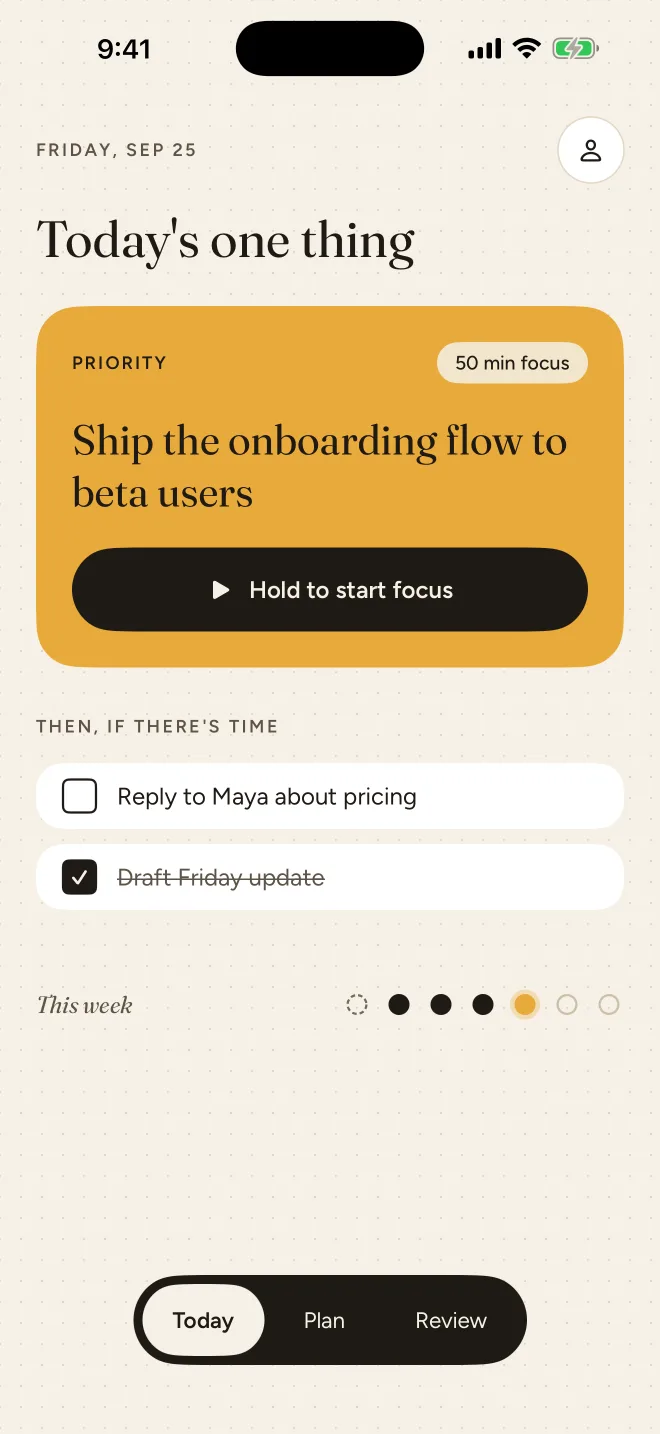
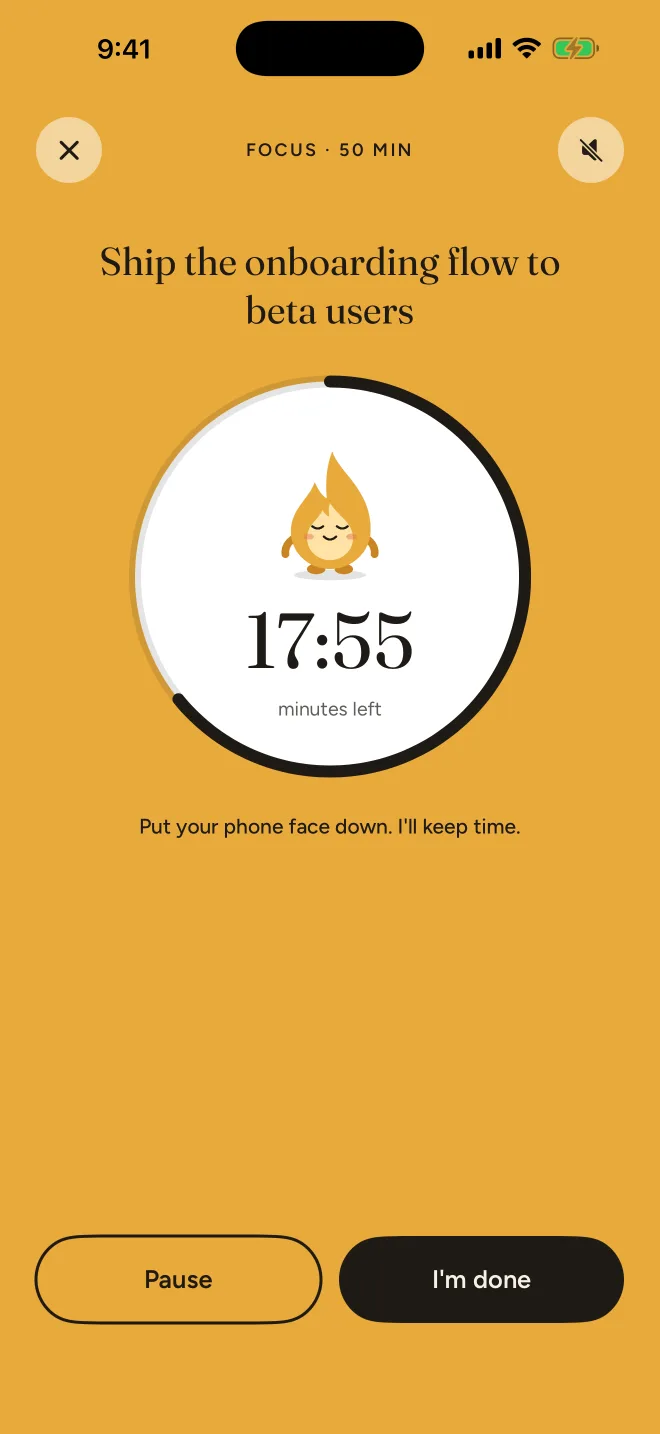
10:15 AM · Focus
Press and hold to begin a 25, 50 or 90 minute session. Add soft brown noise or rain if it helps you settle in. Dayflint keeps time, and Flinty keeps you company.
11:05 AM · Done
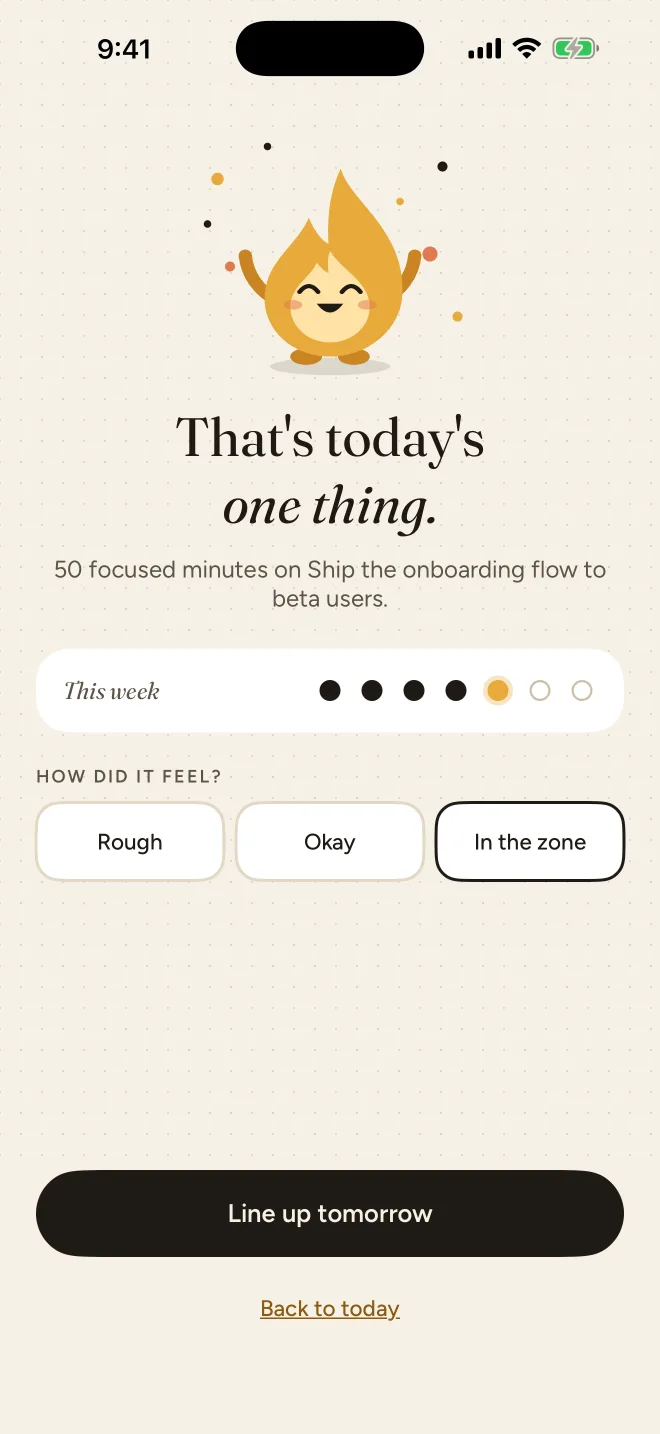
A quiet chime, a happy flame, and a dot on your week. Note how it felt, line up tomorrow, and get on with your day.
Streaks
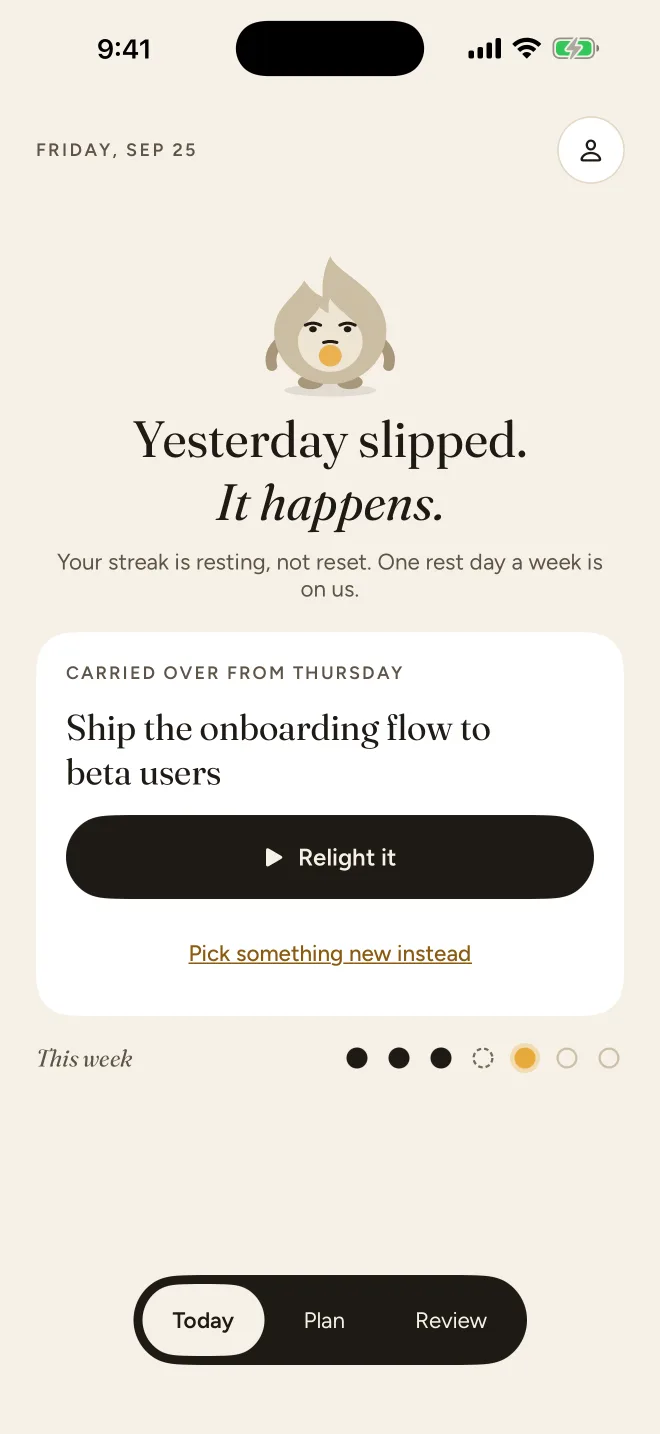
Life happens. Miss a day and your streak rests instead of starting over. One rest day a week is on us, so a single slip never wipes out your progress.
Everything it does
Pick a length, hold to start, and let the ring fill.
Plus
One thing for every day, laid out Monday to Sunday.
Plus
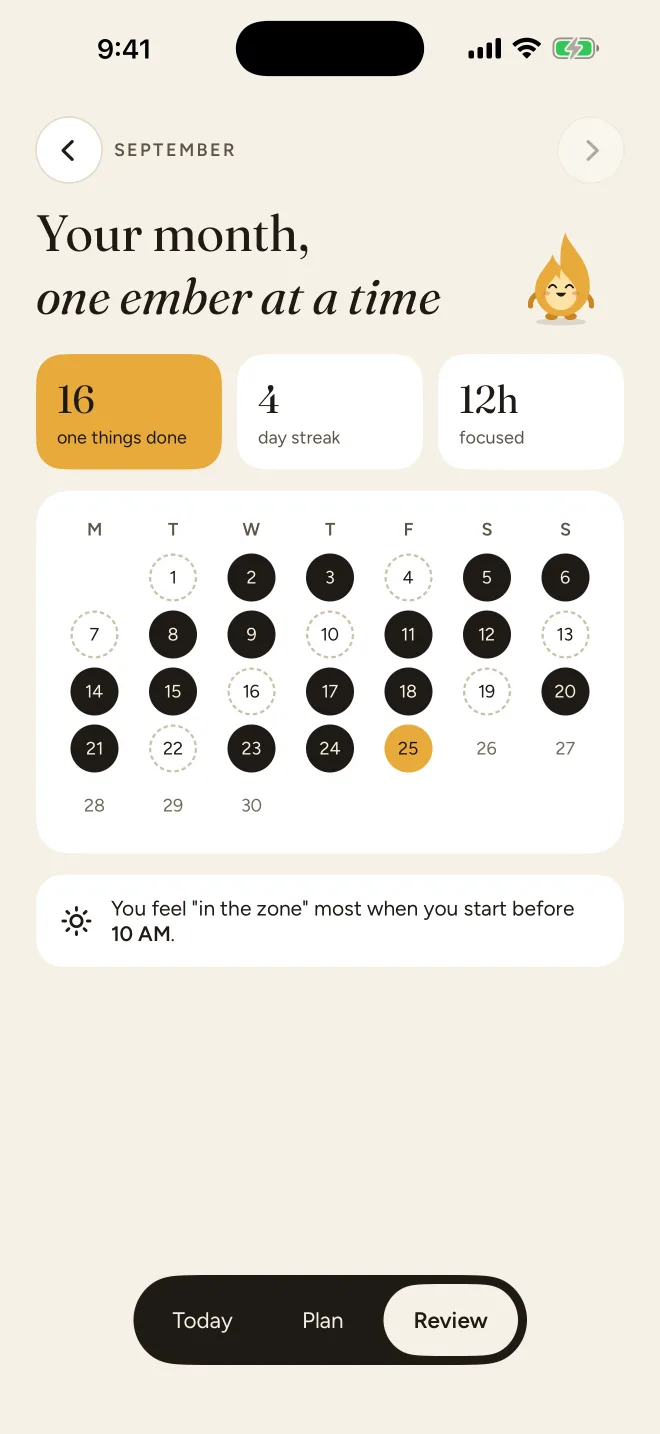
Your streak, your focused hours, and when you tend to be "in the zone".
One morning reminder. A heads-up when your session ends. Never a nag.
Ink, not black. Easy on late-night eyes.
Dynamic Type up to the largest accessibility sizes, VoiceOver labels throughout, and Reduce Motion support.
Plus
Your days follow you across devices through your own iCloud account.
Meet Flinty
Flinty cheers you on when you finish and waits patiently when you don't.
 Says hello
 Keeps you company
 Cheers you on
 Waits patiently
Privacy
Dayflint has no accounts, no ads and no tracking. What you write lives on your iPhone and, with Plus, in your own iCloud. We couldn't read it if we wanted to.
Read the privacy policyApp Privacy
Data Not CollectedThe developer does not collect any data from this app.
Pricing
$0forever
7 days free on annual
$39.99per year
or $5.99 per month
Prices in USD; your App Store shows the price for your region. Subscriptions renew automatically until cancelled. Cancel anytime in your Apple ID settings. Terms
FAQ
Something else? Get in touch.
Because a long list makes everything feel equally urgent, and nothing gets finished. One clear priority is easier to start, easier to protect, and far more satisfying to finish. If you have time left over, Plus lets you add a few extras below it.
Your streak rests instead of resetting. One rest day a week is built in, and the thing you missed carries over so you can relight it or pick something new.
No. There's nothing to sign up for. Open the app and pick your one thing.
Yes. Everything is stored on your iPhone, so it works anywhere. With Plus, changes sync through iCloud when you're back online.
The annual plan starts with 7 days free. We'll remind you 2 days before it ends, and you can cancel anytime in your Apple ID settings before then and pay nothing. The monthly plan has no trial.
Dayflint is made for iPhone, running iOS 17 or later.
Dayflint is coming soon to the App Store for iPhone.
Coming soon to theApp Store